Task
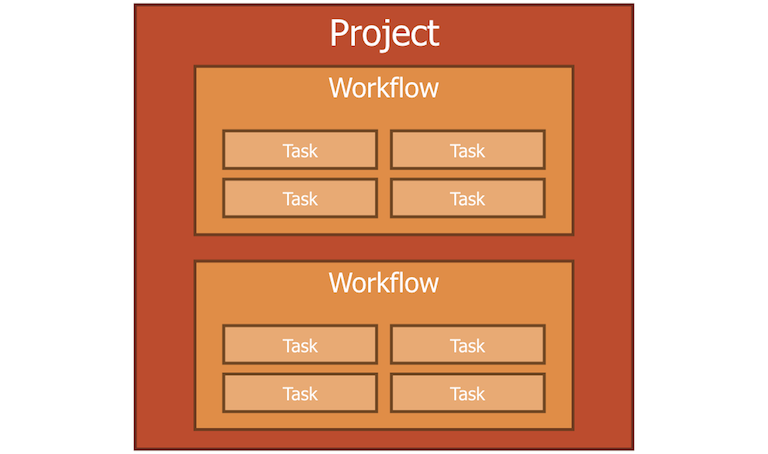
In a workflow, many tasks are connected to task pipeline.
Roles
Roles of task are:
- being as an element of analysis pipeline
- loading data to input calculation
- storing calculation result data
Contents
Task has information like:
- dependency information
- task id
- calculation component
- data store
Features
Task has features like:
- Setting dependency
- Building itself
- Executing calculation component
- Accessing dependence data in data store
Executing
You can run task by using dsfrun task command.
Please visit here for more information.
Types of task
A workflow can create 3 types of tasks.
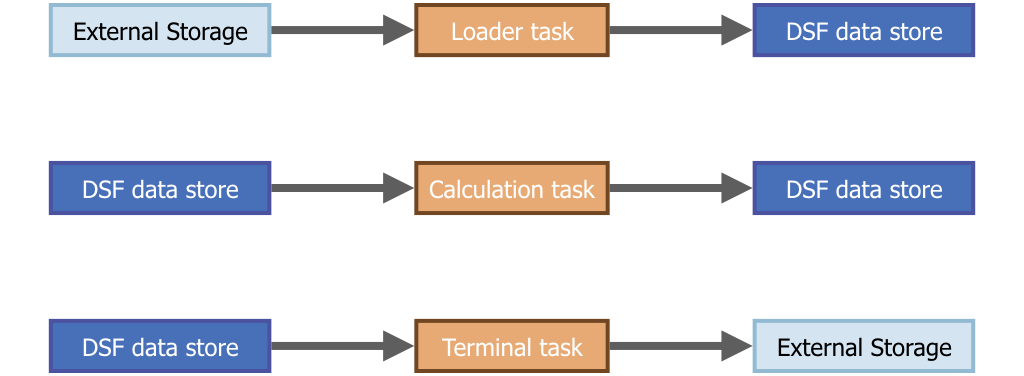
| task type | input | output | use |
|---|---|---|---|
| loader | external | dsf data store | load external data at start of pipeline |
| (calculation) task | dsf data store | dsf data store | calculation |
| terminal | dsf data store | external | write calculation result to external storage at end of pipeline |
DSF automatically create dsf data store to save all calculation results.
Loader task is to load data from external to dsf data store, and Terminal task is to write data from dsf data store to external.
Attach calculation component
Calculation task have a calculation component.
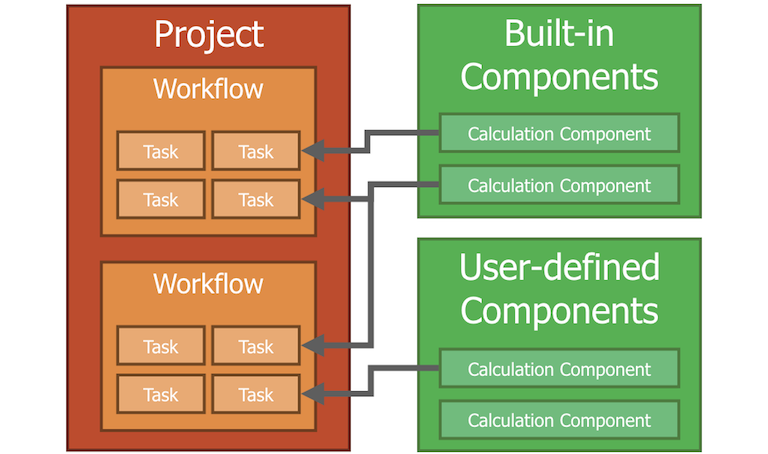
You can choose a calculation component fitting what you want from large official component repositories.
Attach I/O module
Loader task and Terminal task have I/O module instead of calculation component.
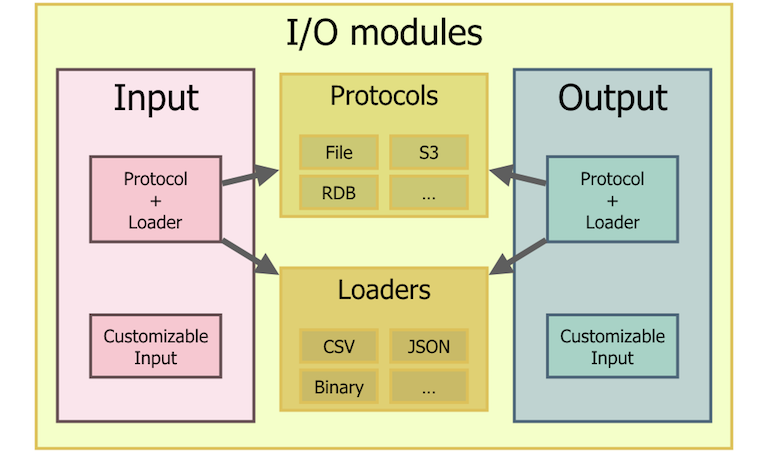
In most cases to use I/O module for task, you can use Protocol + Loader. Protocol determines where your data is and loader determines what format your data is.
But sometimes protocol determines even format.
ex: When you choose RDB protocol, then you can’t choose format anymore because you can’t insert binary or json into RDB.
For such case I/O module has customizable feature.
You can choose both of them for loader and terminal tasks.